


How to Keep Good Tracking Between Sessions in a TTRPG Campaign

As a Game Master, it can sometimes be challenging to keep track of your session schedule, the events that unfolded during play, and the evolution of your players throughout the campaign.
To easily remember everything without getting overwhelmed, there are many solutions available. Here are our best tips for maintaining solid tracking between the sessions of your TTRPG campaign.
Plan Your Sessions with Your Players
The first step is to schedule your sessions with your players in advance. Keeping an up-to-date calendar can be difficult, especially if you play in person and want everyone at the table together.
To plan your sessions effectively, several techniques can help:
- Choosing a fixed day of the week for your sessions
- Spacing sessions every two weeks if the pace feels too intense
- Opting for online sessions when needed
It can also be helpful to create a good dynamic at the end of each session to motivate your players to return and continue their adventures. Don’t hesitate to check out our tips for crafting a captivating plot.
As a GM, well-planned sessions allow you to anticipate and give yourself time to adjust your campaign when necessary.
Take Notes During Every Session
To maintain clear session tracking, you need to take notes throughout the campaign—that means before, during, and after your sessions.
Notes often end up scattered across loose sheets of paper and can be easily lost.
If you use Tome, our role‑playing tool, you can rely on the built‑in notes system.
This feature lets you take notes at any moment and insert them directly into your scenes. You can add them in real time during play or afterward to prepare your next game.
Thanks to this system, all your notes stay in one place, and you’ll never risk losing important information again.
Create Sheets for Each Player
To maintain good tracking during and between sessions, it’s important to prepare and update each player character’s sheet.
To keep an overview, you can use two tools in Tome: memos and the Toolboard.
Player Memo
In memos, you can create sheets not only for characters but also for the players themselves.
This allows you to create a memo for each player in your campaign, including key information such as: the characters they play, their gameplay preferences, personal boundaries, comments, contact details, availability, etc.
Character Memo
Additionally, you can create memos for player characters, adding details such as: attributes, appearance, personality and relationships.
The memo acts as a foundation for PC creation, and you can also use it for NPCs they encounter.
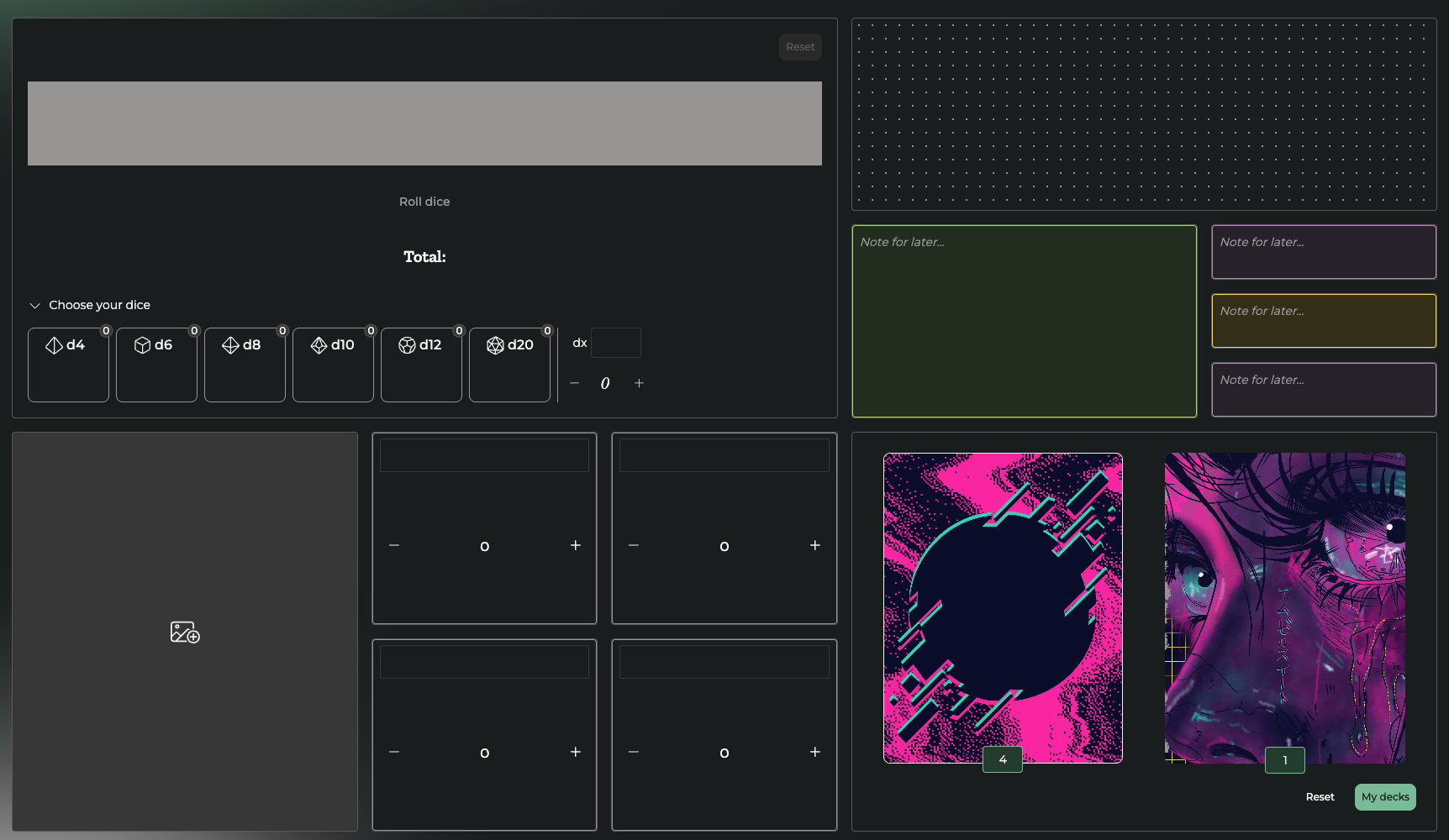
The Toolboard
To keep track of player‑related information between sessions, the Toolboard is extremely useful. You can create one Toolboard per player and store anything you might need at any time.
For example, you can add:
- a sticky note for quick reminders,
- counters for points,
- a drawing area for sketching elements,
- a dice tool for rolls,
- a card module for draws.
To avoid forgetting information between sessions, it’s essential to always take notes—especially small details that are often overlooked, such as inventory items, coins, or specific conversations with NPCs.