

How to use Rune Tables in Lore?

Discover how to turn your Lory’s runes into a table! This new feature is now available in Lore, our worldbuilding software.
Classic Tables vs Rune Tables: What’s the Difference?
The new 1.10 Piculet update introduced two new types of tables, each with its own purpose.
Classic tables fit directly inside a regular text block on a page.
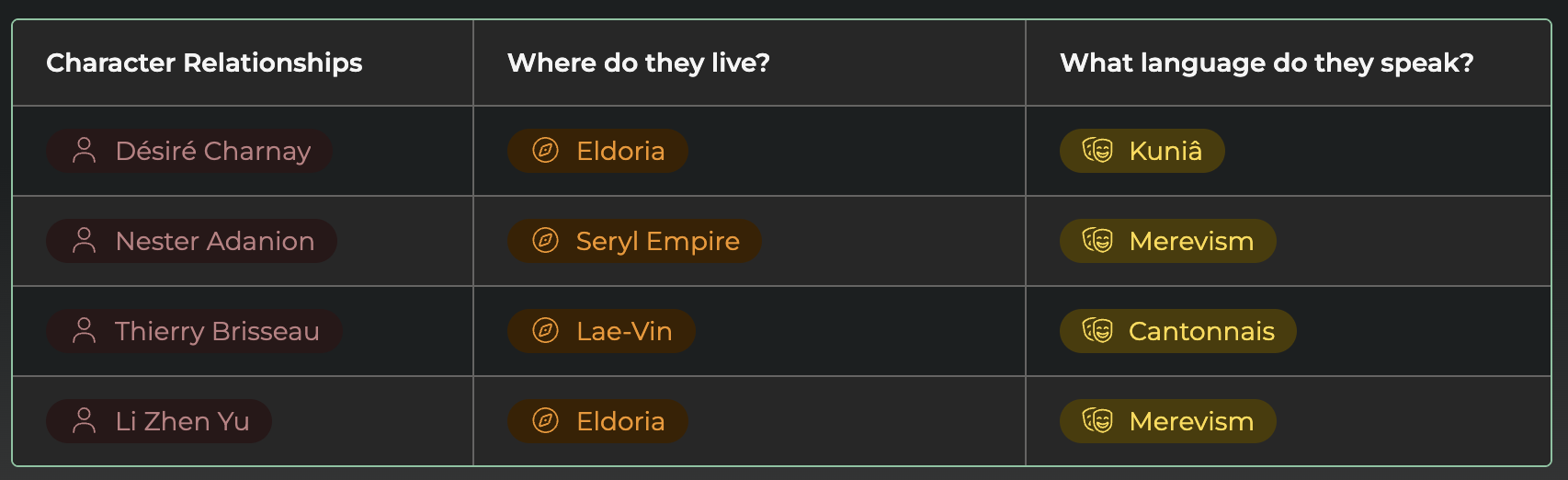
For example, here's a simple summary of a character’s relationships, including where each of them lived. This kind of table gives you a quick overview.
Rune tables, on the other hand, let you display summarized information generated from text, options, tags, divergences, or quantums.
You can now display these runes as a table, not just a list.
This new feature gives you better visibility, especially when you need to look up information quickly during a role‑playing game session.
Rune Tables in Lore
To showcase all the nuances of rune tables, we used the example of several countries in a fictional universe called Amselia.
Creating a new Template
To give each country its own dedicated page, we first created a template.
For every country, we wanted to group all the important story-related information: citites, spoken languages, whether they’re at war with another realm, and the name of the executive.
We also included culture and notable figures living there.
For more information about template creation in Lore, feel free to check out our article on getting started with the Amsel Suite.
Adding Runes
In the rune block, we gathered all the citites, spoken languages, war status, and each executive's name.
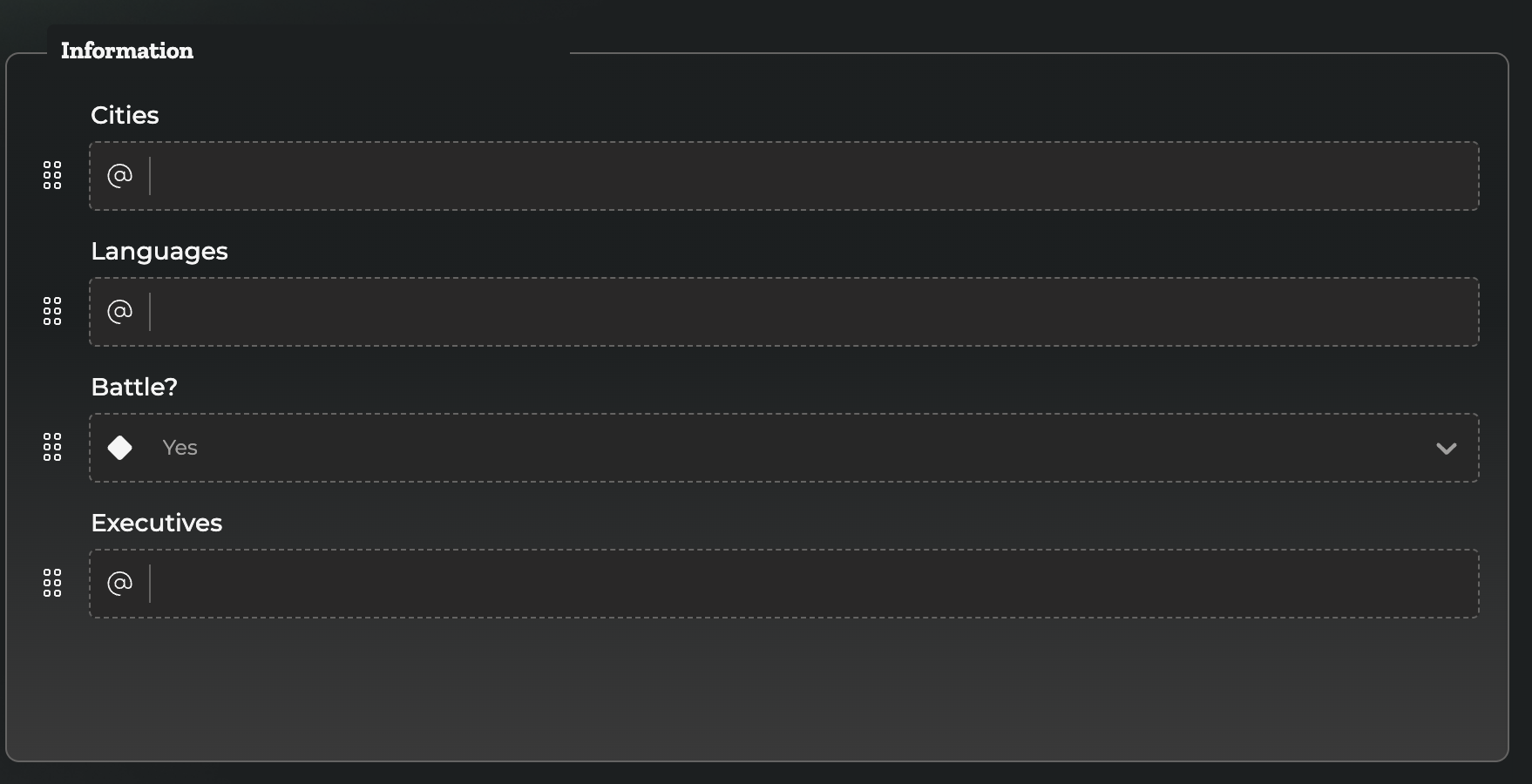
In our example, we only used tags and divergences, but you can choose other formats depending on your needs.
Don’t hesitate to read our article on how to use runes.
Converting the List into a Table
Runes are displayed as a list by default.
To convert them into a table, simply hover your mouse over the block and click the corresponding icon.
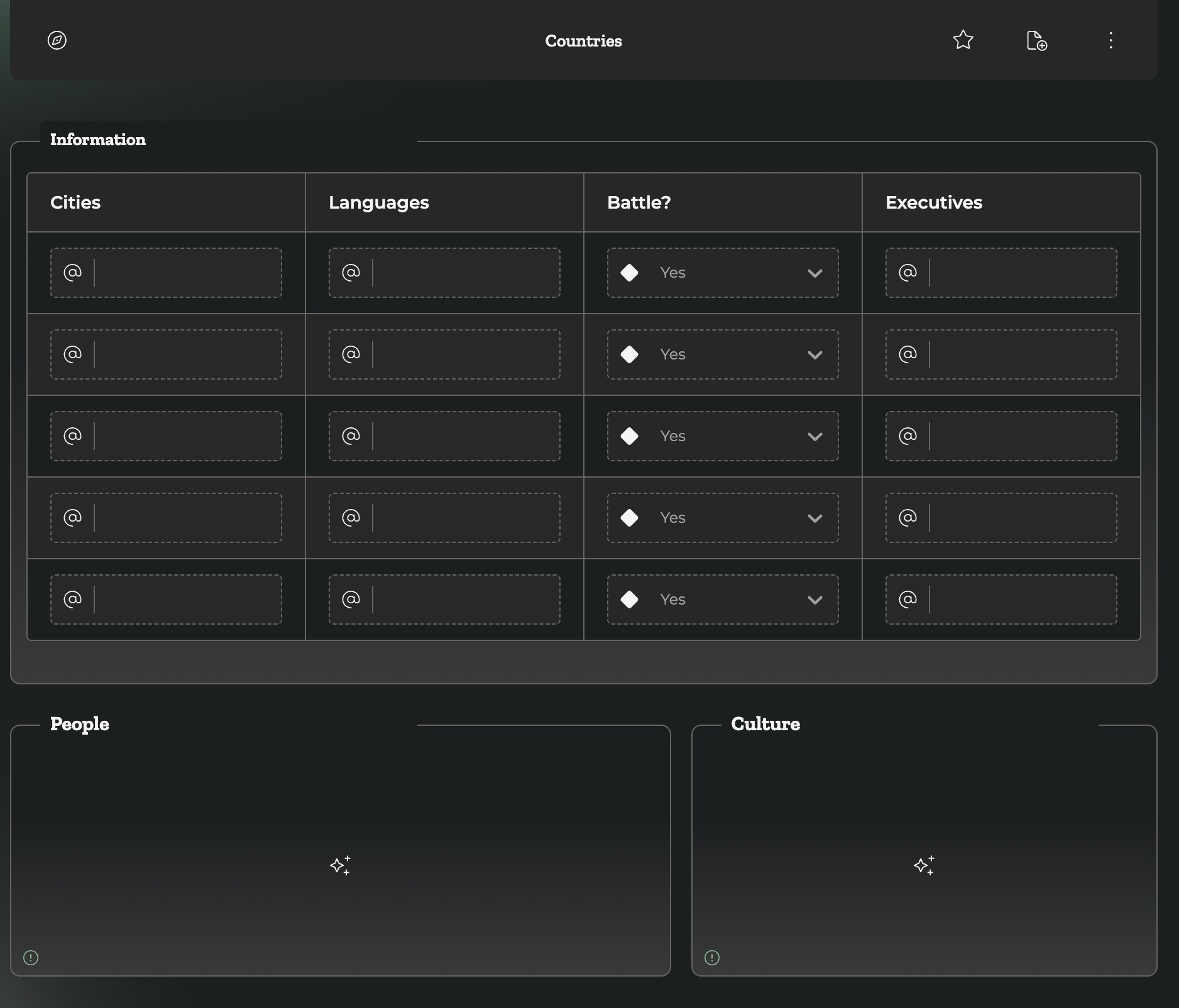
Your runes will then appear in a tabular format.
Filling a Rune Table
Now that your template and rune block are ready, you can add the first country by creating a new page.
Here, we created the country Astarol. Just fill in the relevant information.
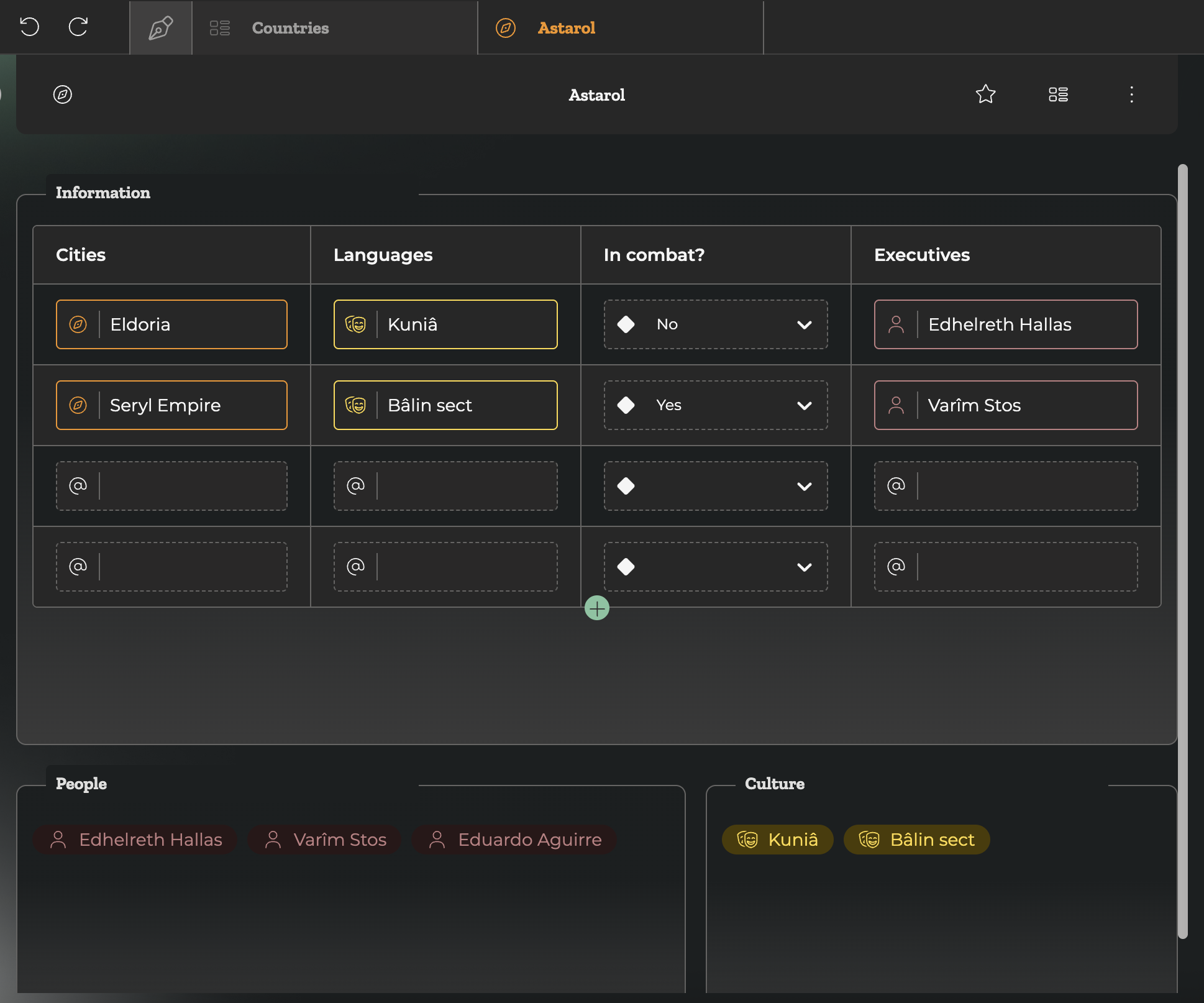
To add more kingdoms or their histories, simply click the “+” button, this will create a new row.
Rune tables are flexible, easy to reuse, and adapt to any worldbuilding need.